
A project per client, a colour per project
Create a project for each client or engagement and give it a colour. The board shows every task at once, or one project at a time, and the dashboard tells you how far each one has come.
Ease is built for the person who is the whole team. No workspaces, no seats, no onboarding: open it and start.
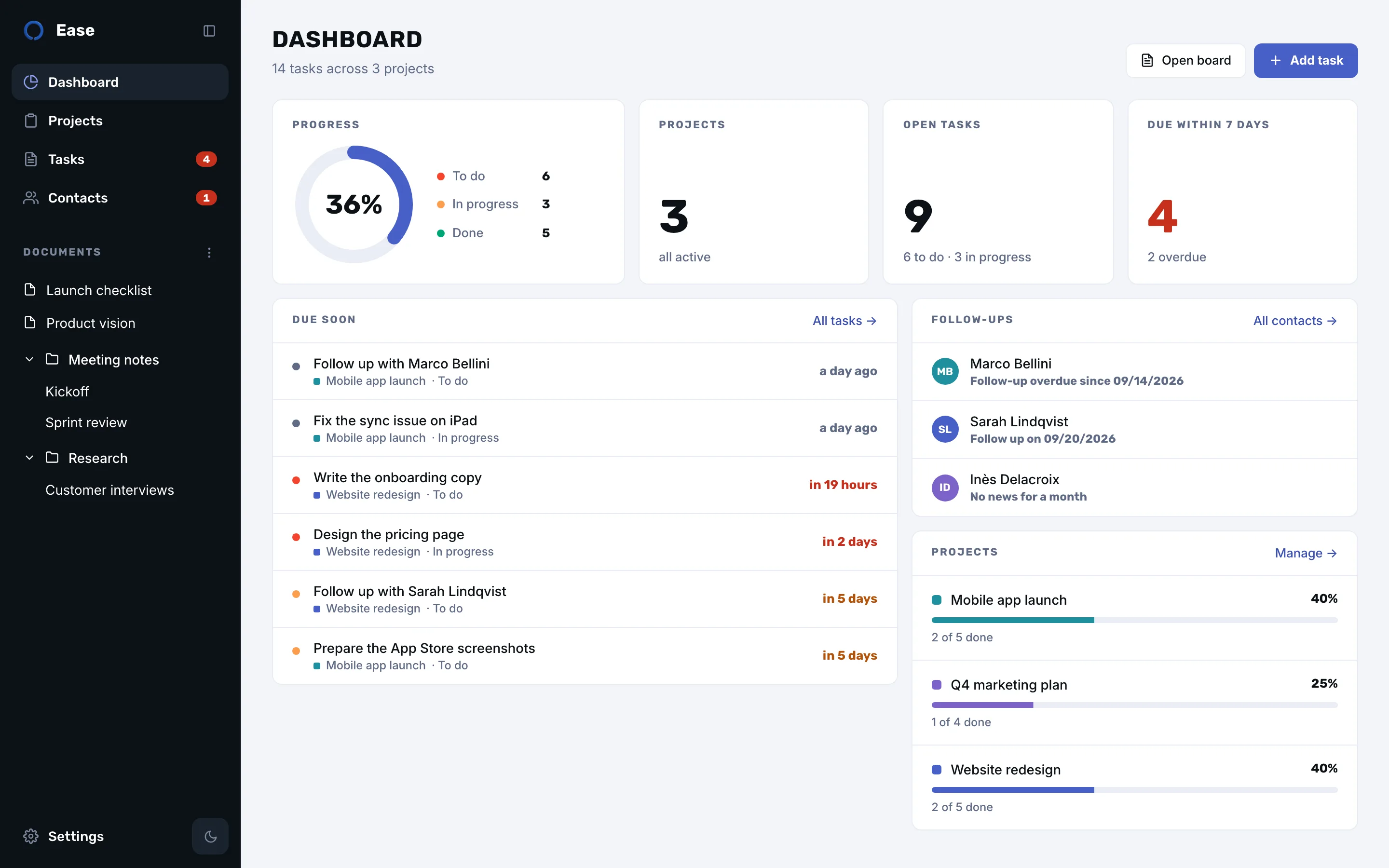
Create a project for each client or engagement and give it a colour. The board shows every task at once, or one project at a time, and the dashboard tells you how far each one has come.
Tell Ease what urgent and critical mean to you, in days. Cards turn orange, then red, the sidebar counts what is due this week, and the dashboard lists it before you open a single project.
Keep the brief, the meeting notes and the checklist in Ease, in folders you arrange yourself. No more hunting through a drive for the file you wrote last month.
Each client has a sheet: role, company, how you met, and a log of calls and meetings. Mark a prospect “to develop”, choose how often you want to be in touch, and Ease reminds you when it is time to write.
One subscription, monthly or yearly with two months free, after a free week. Billed by Apple, cancelled in your Apple account, and no per-seat pricing because there is only one seat: you.
No. Ease has no sharing or client access. It is your private workspace; you report to clients the way you already do.
No. Ease covers tasks, documents and contacts. Keep your invoicing and time-tracking tools; Ease is where you decide what to do next.
No. A side project, a house move or a course you are preparing works the same way: a project, its tasks, its documents and the people involved.
Download it from the Mac App Store. No account needed.