
A real editor, not a text box
Headings, bold, italic, underline, bullet lists and alignment, with a toolbar that stays out of the way. Return adds a line, ⌘↩ starts a paragraph. Documents save as you type and show when they were last changed.
Meeting notes, briefs, checklists, ideas. Ease keeps them in a rich editor inside the same window as your tasks, in folders you arrange yourself.
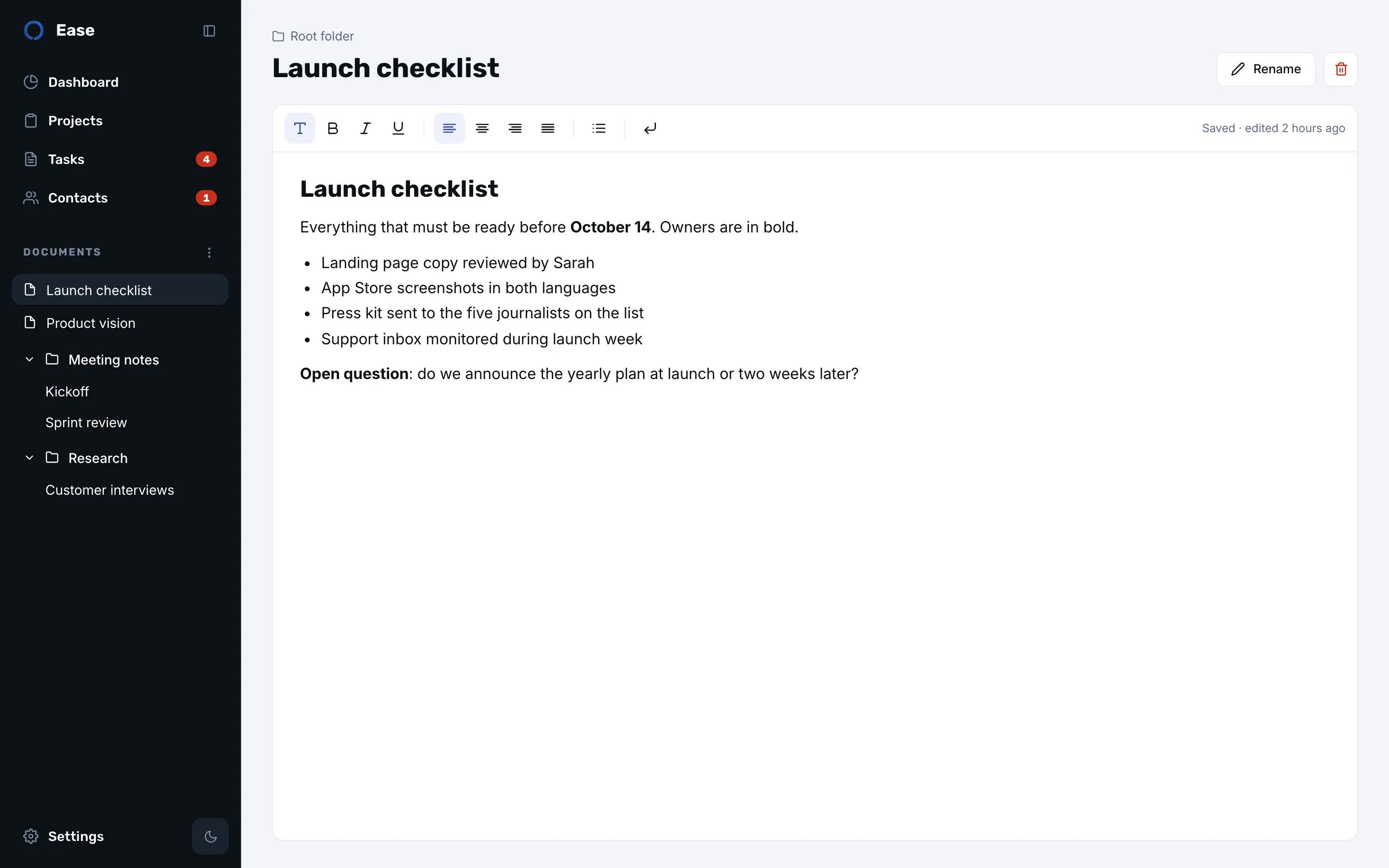
Headings, bold, italic, underline, bullet lists and alignment, with a toolbar that stays out of the way. Return adds a line, ⌘↩ starts a paragraph. Documents save as you type and show when they were last changed.
Drag a document into a folder, back to the root, or between two others: Ease keeps the order you choose instead of sorting for you. The tree lives in the sidebar, one click away from any page.
The notes on a contact sheet use the same editor, so a person’s story reads like a document: what you agreed, what to remember before the next call.
Documents are stored on your Mac, included in the backup file you can export at any time, and synced through your private iCloud database if you turn sync on.
No. Ease documents are text with formatting: headings, lists, bold and italic. For files, keep them in Finder or your cloud drive and mention them in the document.
Documents are included in the backup file you export from Settings. There is no per-document export to PDF or Markdown.
Download it from the Mac App Store. No account needed.