One board, every project
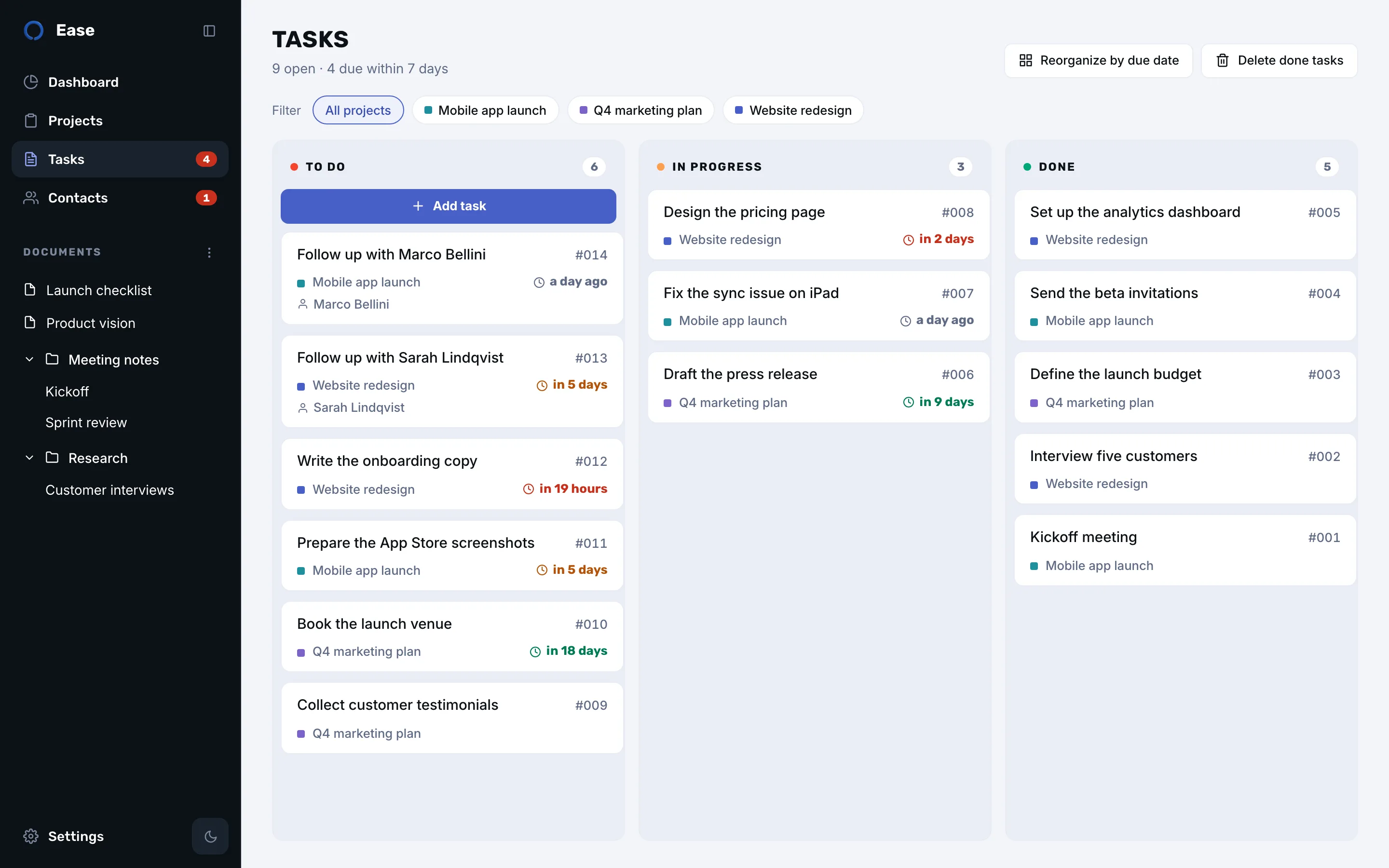
Each task belongs to a project and takes its colour, so a mixed board still reads at a glance. Filter by project with one click when you want to focus, or keep everything in view. Tasks are numbered, which makes them easy to mention in a note or a message.
Deadlines in colour
Decide what urgent and critical mean, in days. A card turns orange when its deadline enters the urgent window and red when it becomes critical. The badge in the sidebar counts what is due this week, and the dashboard lists it.
Fast to add, easy to move
Type a name and a date in plain words, like “friday” or “next tuesday”, and Ease suggests the date. Drag cards between columns, or move them from the keyboard with the card menu. Any deletion can be undone for a few seconds, right from its notification.
Follow-ups become tasks
When you plan a follow-up with a contact, Ease creates the task for you, on the board, with the person’s name. Moving it to done logs the exchange.