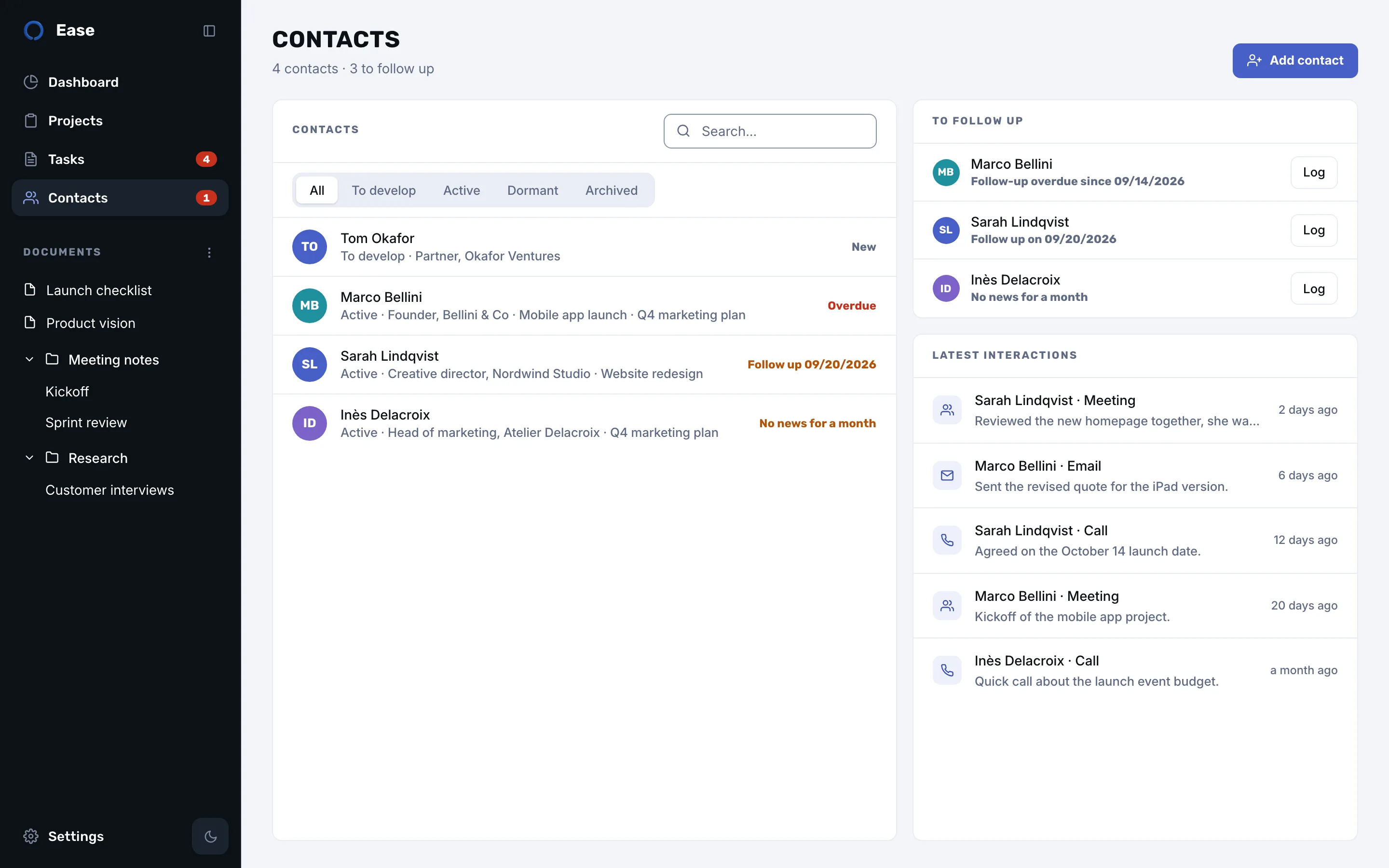
Each person, in context
Role, company, how you met, email and phone with one-click copy, the projects you work on together, and notes in the same rich editor as your documents. A relationship status, from “to develop” to “archived”, keeps the list honest.
Log an exchange in seconds
Call, email, message, meeting or note: one line and Return, from the contact sheet. Add “follow up friday” to the line and Ease plans the next step for you.
Follow-ups that don’t slip
A follow-up is a task on your board, with the person’s name on it. The Contacts page lists who to follow up with, the dashboard shows the most pressing ones, and a badge in the sidebar counts the overdue ones. Choose a rhythm per contact, monthly, quarterly or yearly, and Ease flags the people you haven’t talked to in a while.
Private by design
Your contacts stay on your Mac, or in your private iCloud database if you enable sync. Ease does not read your Mac’s Contacts or your email, and nothing is sent to the developer.