Start the day knowing what is due
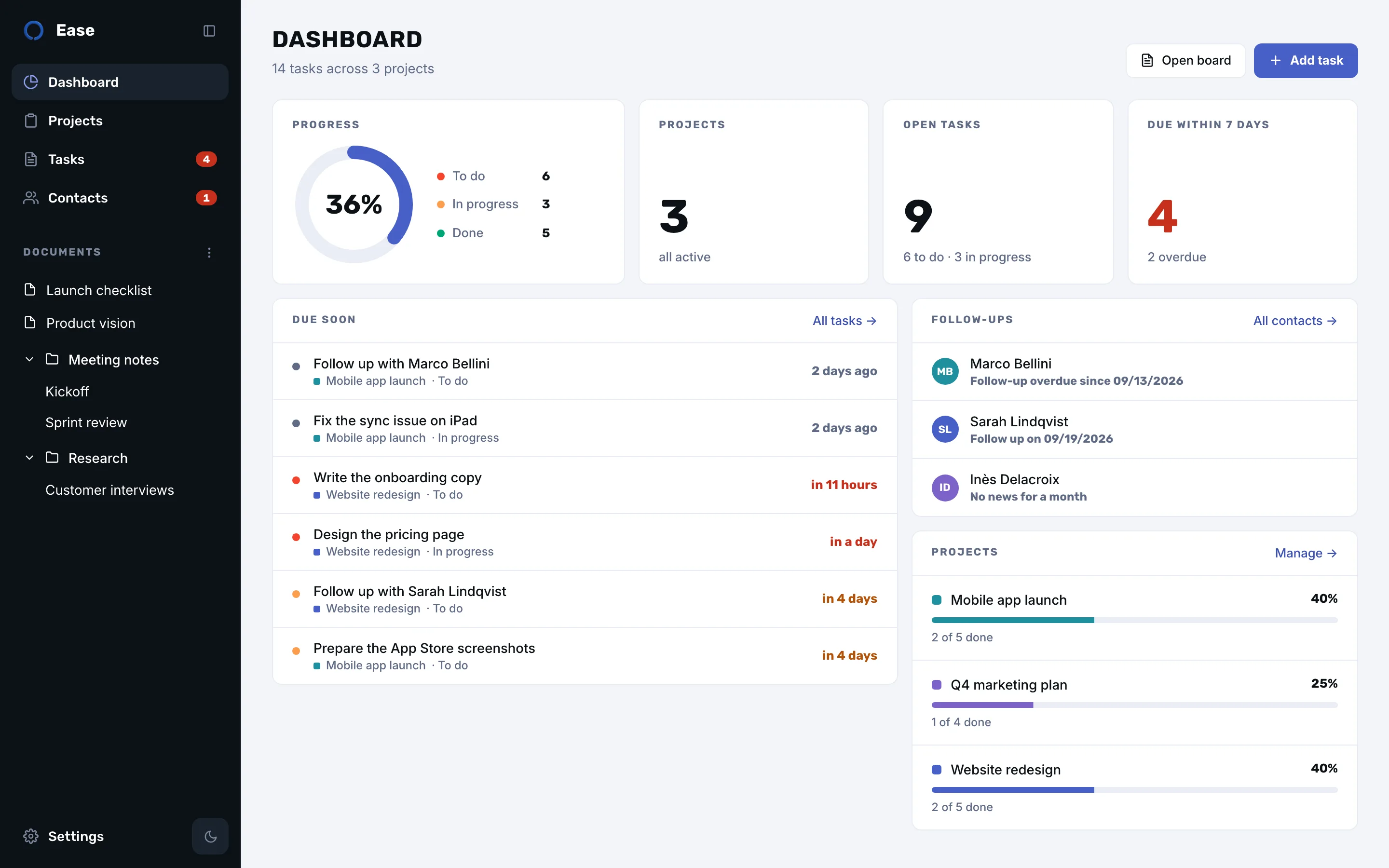
Progress at a glance, the deadlines of the week, and one line per project.
Tasks, documents and contacts in one native app. No account. Your data stays on your Mac, iCloud optional.
Five views, one window, nothing to configure.
Progress at a glance, the deadlines of the week, and one line per project.
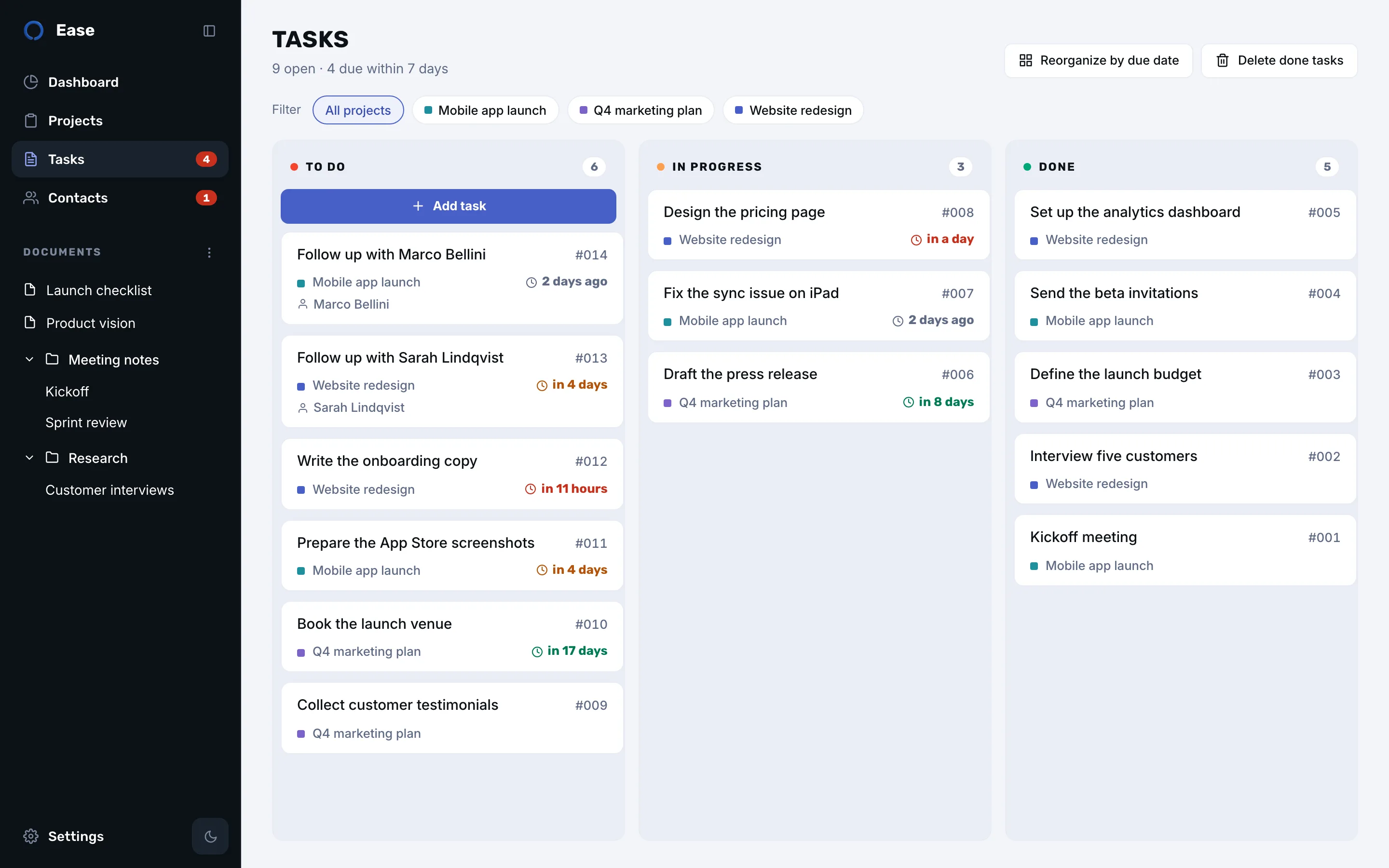
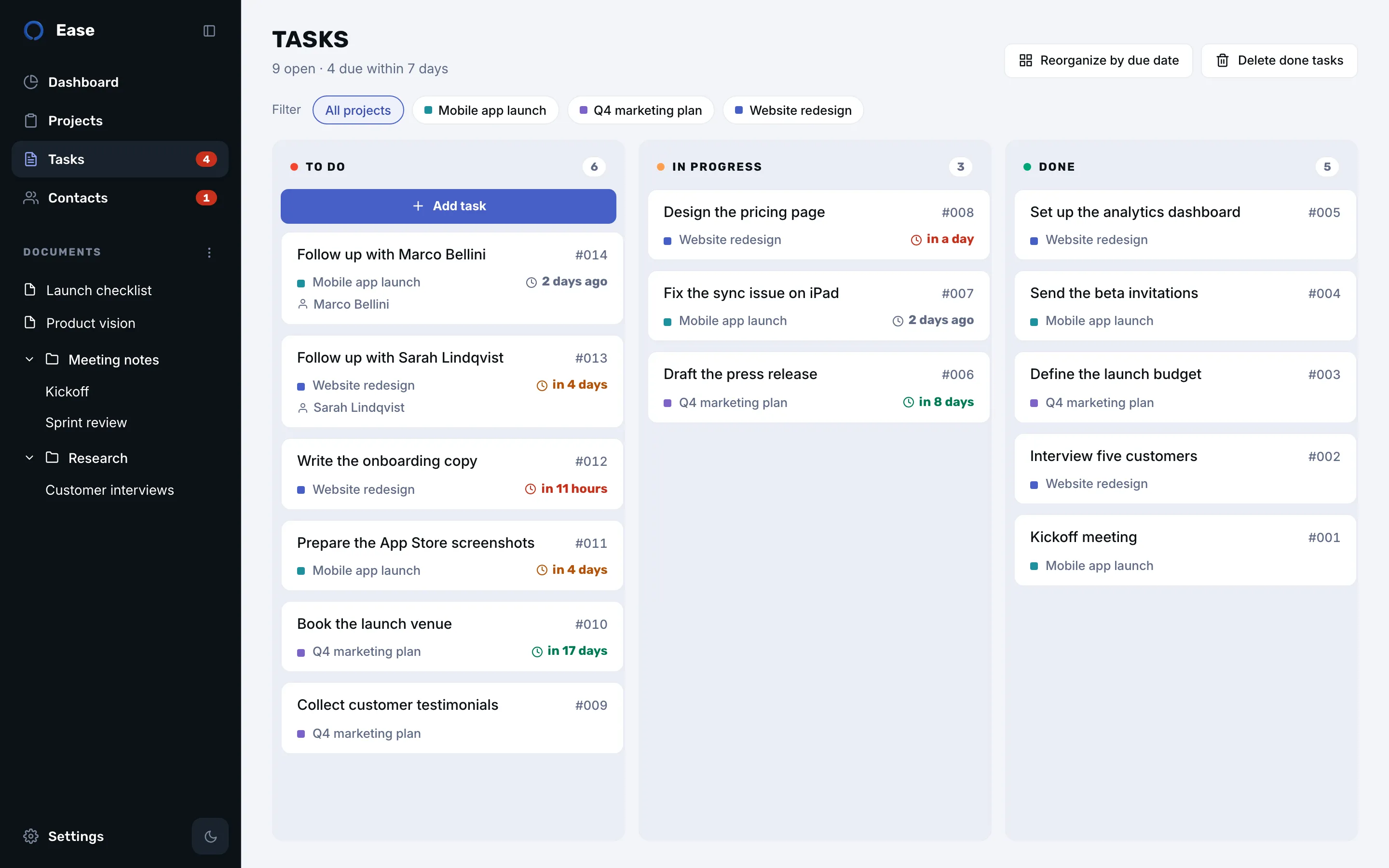
To do, in progress, done. Cards turn orange when a deadline gets close and red when it is critical, with thresholds you choose.
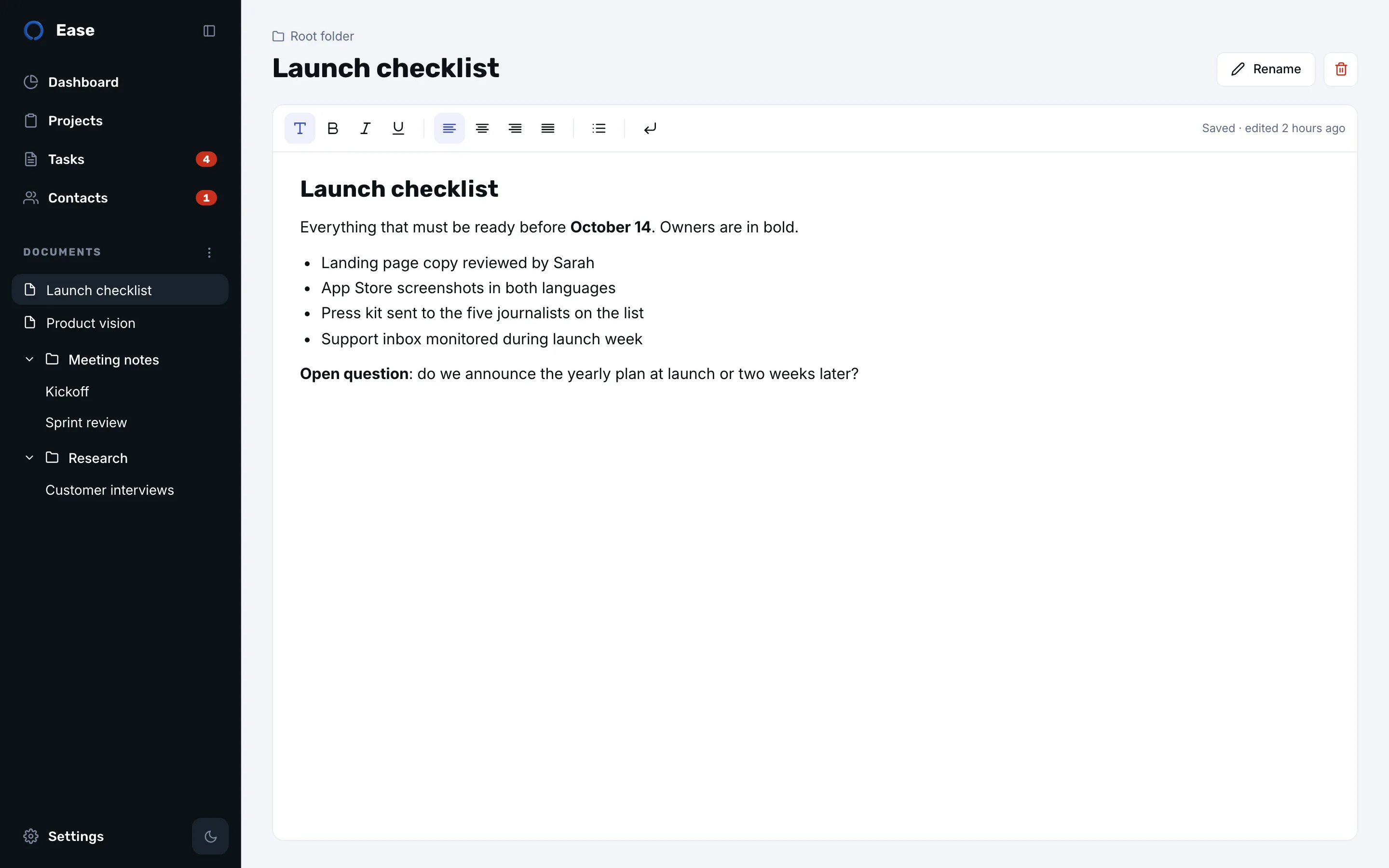
Notes, meeting minutes and plans in a rich editor, organised in folders you order by hand.
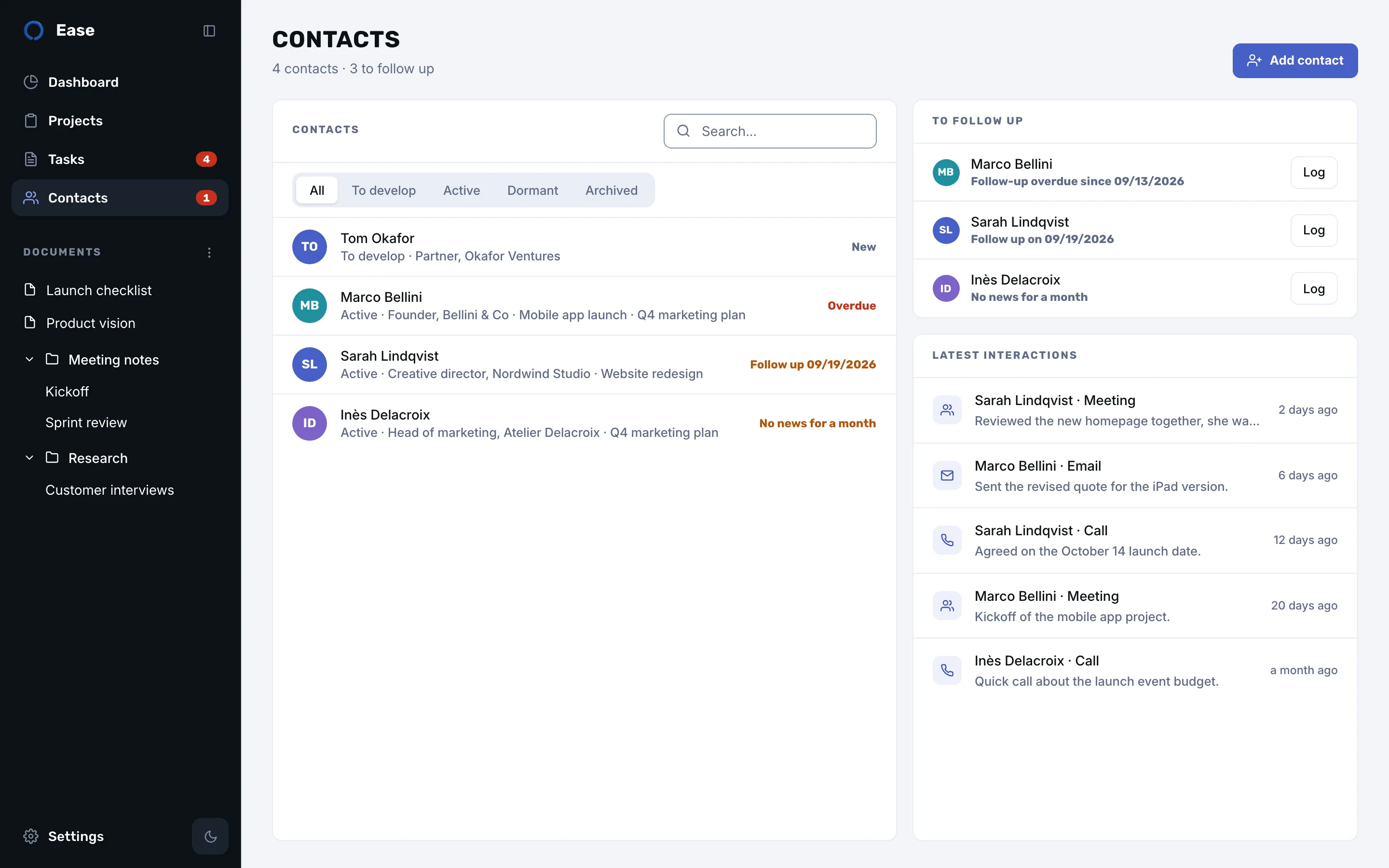
The people behind your projects, a journal of calls and meetings, and a nudge when someone has gone quiet.
Light and dark themes, keyboard shortcuts, and a window that behaves like a native app because it is one.
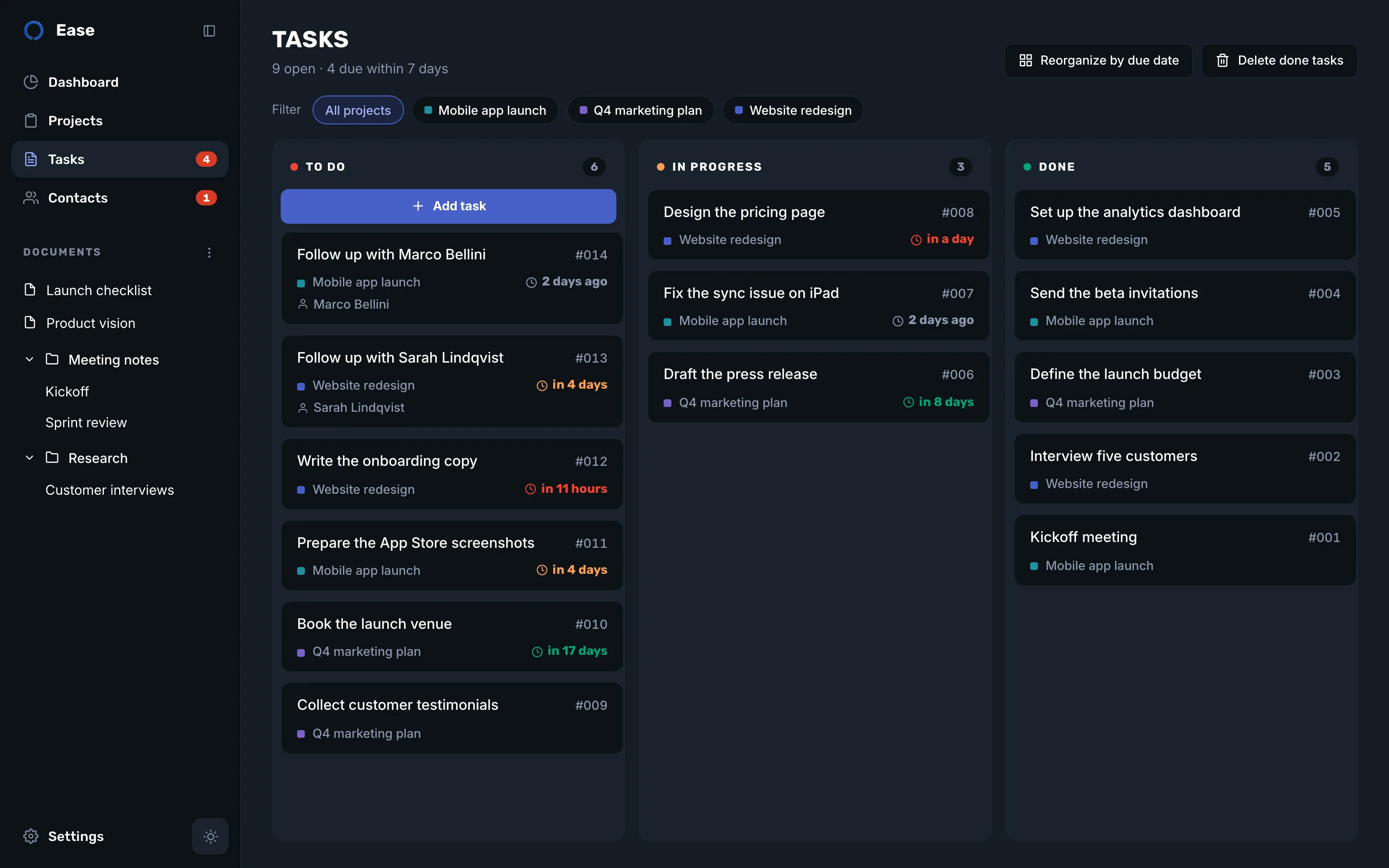
No workspaces, no permissions, no onboarding call. Open the app and start.
No account, no server. Ease keeps everything in a local database on your Mac, and you can export a backup file whenever you like.
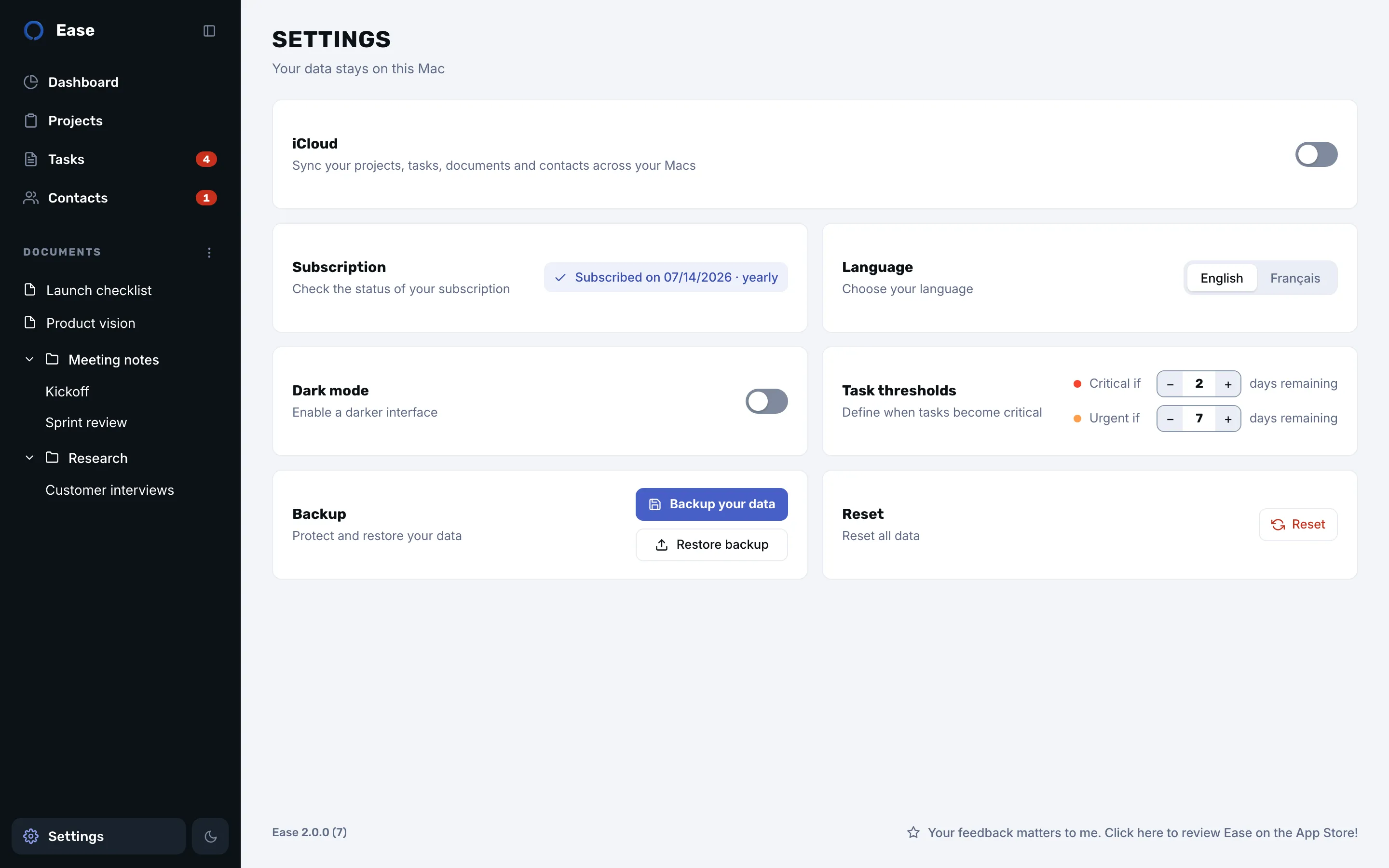
Turn on sync in the settings and your Macs share the same projects through your private iCloud database. The developer never sees it.
macOS 13 or later, Apple silicon and Intel. Works offline and updates through the App Store.
Decide what urgent and critical mean, in days. Task cards and the badge in the sidebar change colour by themselves.
Every feature from the first minute. Monthly or yearly, no tiers, no seats.
Yearly 2 months free$49.99per year after a free 7-day trial
Monthly$4.99per month after a free 7-day trial

Billed by Apple through the Mac App Store, in your local currency. Cancel anytime in your Apple account.
macOS 13 Ventura or later, on Apple silicon and Intel Macs. There is no iPhone or iPad version.
Yes. Everything is stored on your Mac and nothing needs a connection. iCloud sync is optional and only runs when you turn it on.
In a local database inside the app data folder of your Mac, and in your private iCloud database if sync is on. The settings let you export a backup file at any time and restore it on another Mac.
A subscription after a free 7-day trial, billed by Apple in your local currency: monthly, or yearly with two months free. The trial and the subscription are managed in your Apple account, and you can cancel anytime.
No. There is no account, no analytics and no server. Apple handles the purchase and, if you enable it, iCloud.
Download it from the Mac App Store. No account needed.